See OpportunityGrid In Action
Experience the complete user journey from login to results. Nine strategic scenes showcase how OpportunityGrid transforms business development through AI-powered workflows.
Total Duration: 4:30 - 5:00 minutes
Complete User Journey
From first login to actionable insights in under 5 minutes
1-2
Introduction & Setup
Brand introduction + Personalized setup
55 seconds
3-5
Workflow Execution
Quadrant framework + Feature discovery + Boolean search
90 seconds
6-7
Results & Integration
ICP scoring + Signals + CRM sync + Analytics
75 seconds
8-9
Support & Closing
Help resources + Call-to-action
45 seconds
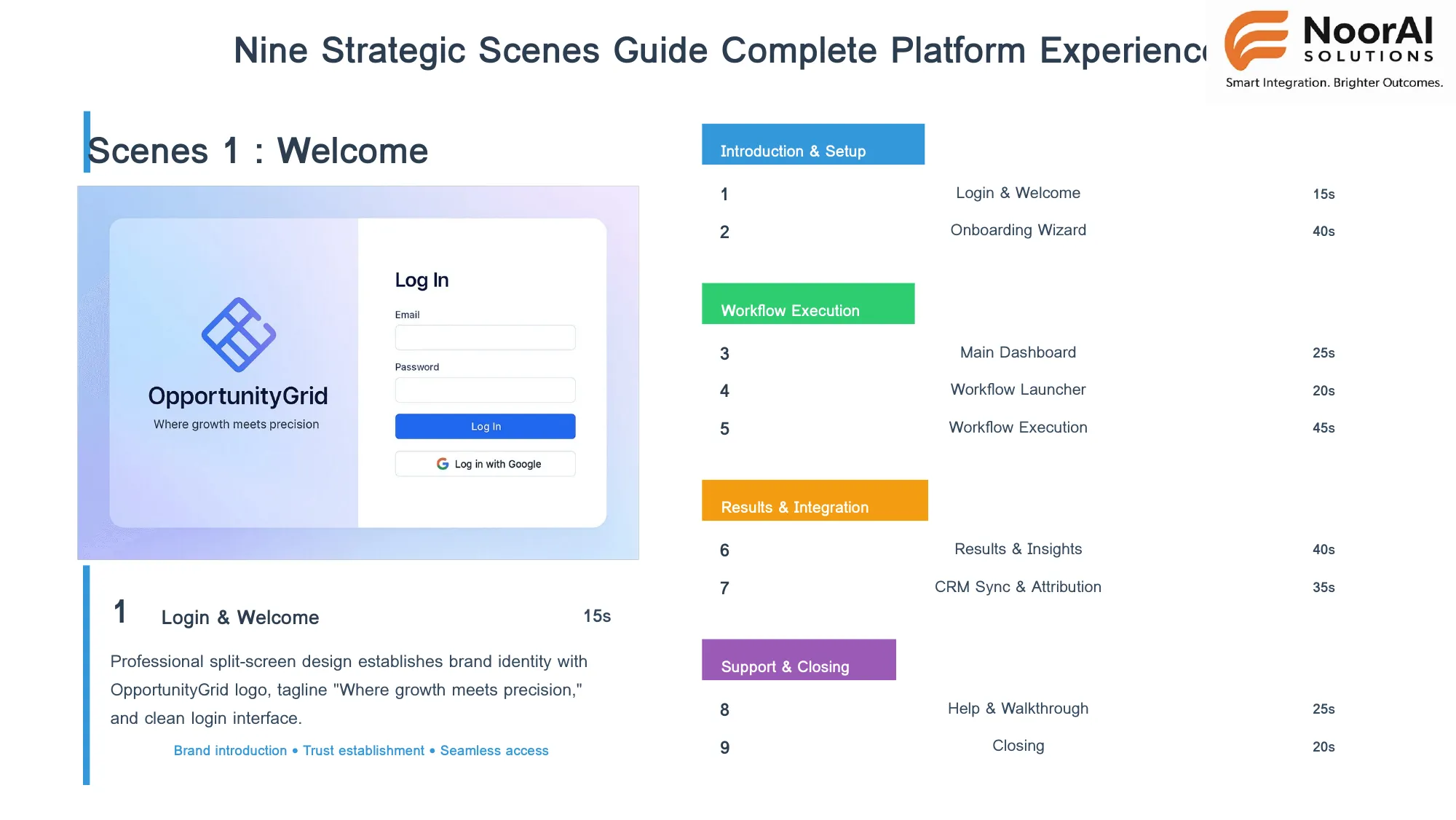
15s
Brand Introduction
Login & Welcome
1
Professional split-screen design establishes brand identity with OpportunityGrid logo, tagline 'Where growth meets precision,' and clean login interface.
Brand introductionTrust establishmentSeamless access
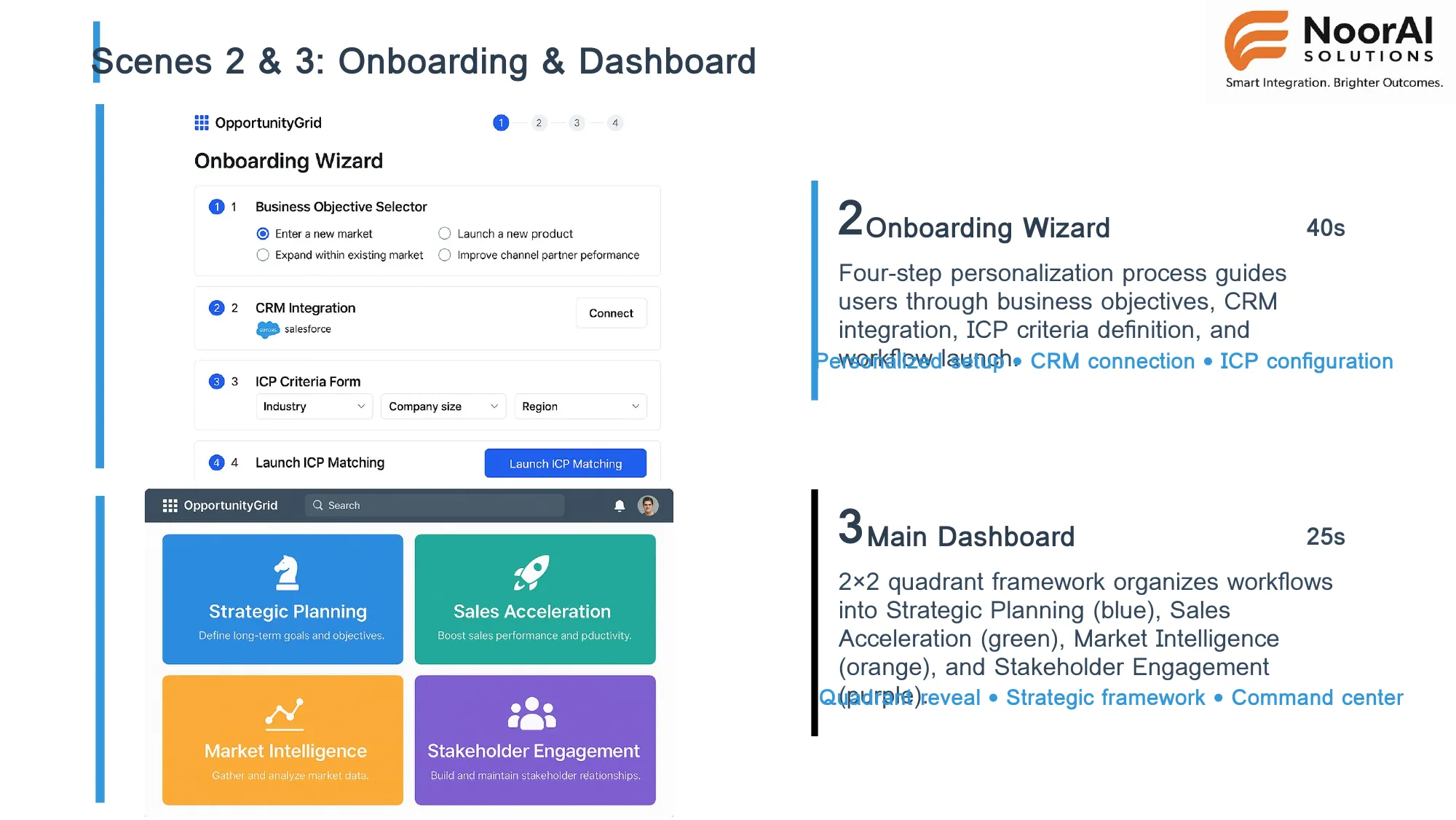
40s
Personalized Setup
Onboarding Wizard
2
Four-step personalization process guides users through business objectives, CRM integration, ICP criteria definition, and workflow launch.
Workflow launchCRM connectionICP configuration
25s
Quadrant Framework
Main Dashboard
3
2×2 quadrant framework organizes workflows into Strategic Planning (blue), Sales Acceleration (green), Market Intelligence (orange), and Stakeholder Engagement (purple).
Quadrant revealStrategic frameworkCommand center
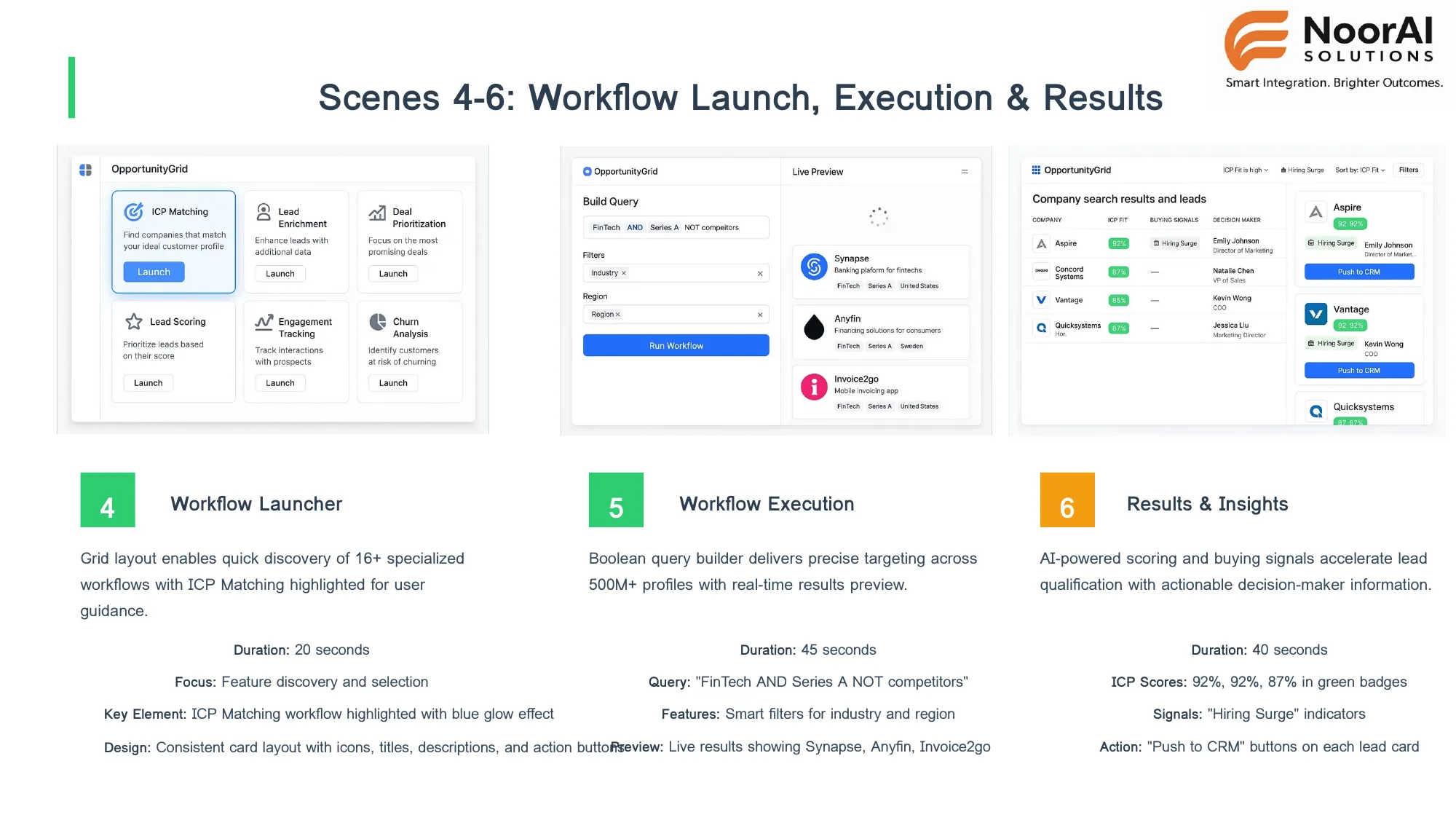
20s
Feature Discovery
Workflow Launcher
4
Grid layout enables quick discovery of 16+ specialized workflows with ICP Matching highlighted for user guidance.
Feature discoveryWorkflow selectionICP Matching highlight
45s
Boolean Search & Filtering
Workflow Execution
5
Boolean query builder delivers precise targeting across 500M+ profiles with real-time results preview showing Synapse, Anyfin, and Invoice2go.
Smart filtersReal-time resultsQuery builder
40s
ICP Scoring & Signals
Results & Insights
6
AI-powered scoring and buying signals accelerate lead qualification with actionable decision-maker information and 'Push to CRM' functionality.
ICP scores (92%, 92%, 87%)Hiring Surge indicatorsPush to CRM buttons
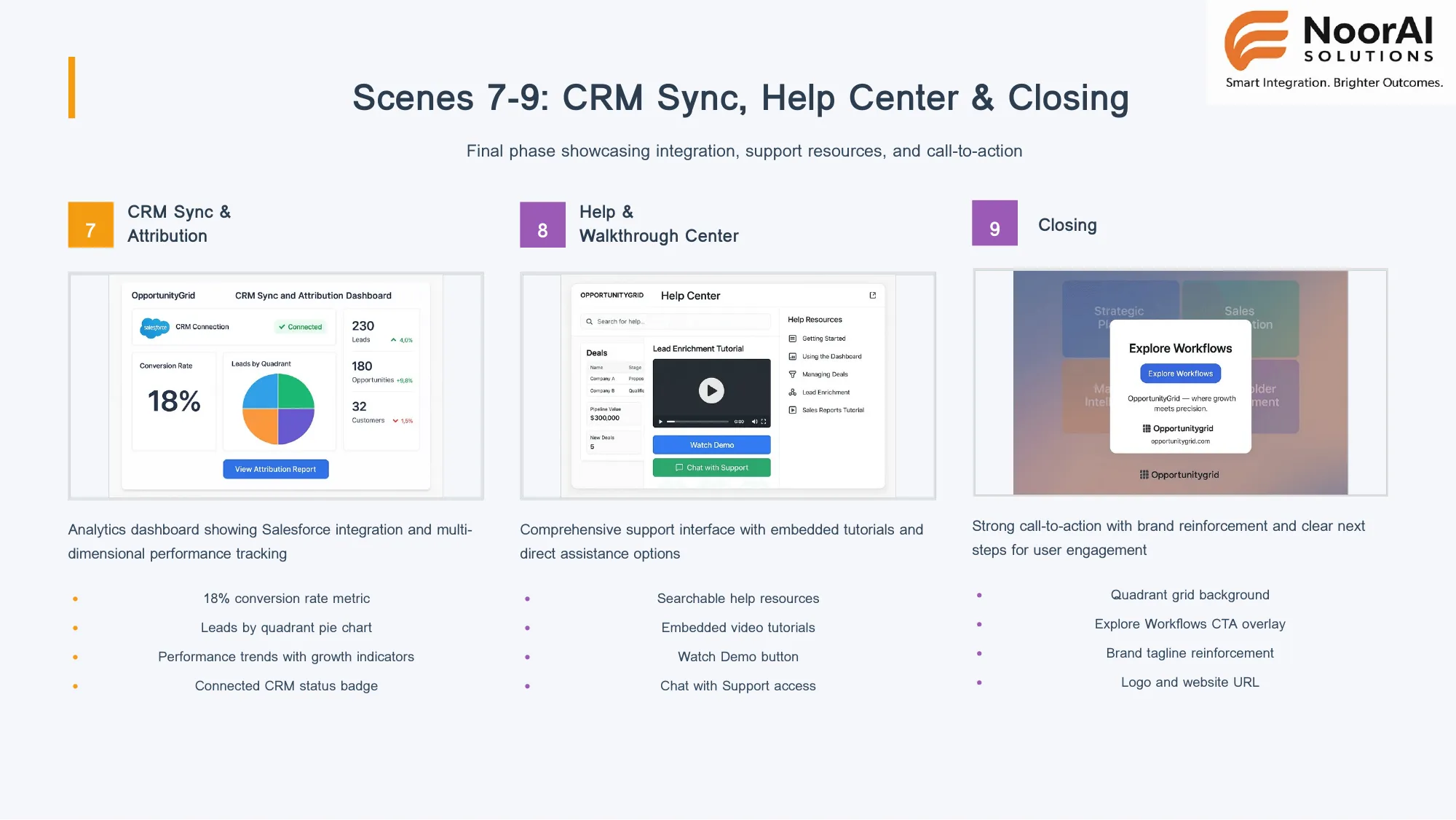
35s
Integration & Analytics
CRM Sync & Attribution
7
Analytics dashboard showing Salesforce integration with 18% conversion rate, leads by quadrant pie chart, and multi-dimensional performance tracking.
Salesforce integrationConversion metricsPerformance trends
25s
Support Resources
Help & Walkthrough
8
Comprehensive support interface with embedded tutorials, searchable help resources, video demos, and direct chat with support access.
Video tutorialsSearchable helpChat support
20s
Call-to-Action
Closing
9
Strong call-to-action with brand reinforcement showing quadrant grid background, 'Explore Workflows' CTA, and tagline 'Where growth meets precision.'
Brand reinforcementClear next stepsWorkflow exploration CTA